Bud GPU Foundry · DC Twin · A digital twin of your AI data centre

A living replica of your AI data centre, before the facility goes live.

DC Twin models a whole GPU hall, with compute, networking, power and cooling working together. Your team can see how it will behave, break it on purpose, rehearse the recovery and check the design, all before real workloads arrive.

Demo

Five tabs, one replica of your facility.

Walk through Operate, Topology, Facility, Scenarios and Design: fail a GPU, pull a cable, lose a power feed, then lay out a new hall.

Why DC Twin

Running AI on your own infrastructure is a big first step.

More organisations are choosing to run AI on premises, to keep their data in their own environment, meet regulatory requirements and stay in control of the systems behind their AI. Government departments, banks, defence and public-sector bodies are all moving this way. DC Twin lets them see, test and prepare for the facility long before it carries real workloads.

ModelsCompute, network, power and cooling
HardwareAccelerators from different vendors
Behaves likeYour real equipment and its signals
Lets youFail parts and rehearse recovery
AvailableNow, in Bud GPU Foundry
Who it's for

For organisations that want to own and run their AI infrastructure.

01

Government and public sector

Building sovereign AI capacity? Plan and validate the facility before you invest in it.

02

Regulated industries

Banking, insurance and defence teams can prepare to run AI on premises without risking live systems.

03

Mixed hardware

DC Twin works across hardware vendors, so you are not locked into a single supplier's way of doing things.

Inside DC Twin

Operate, test and design the facility in one place.

The twin behaves like the real thing: it responds the way your equipment would, using the same kind of signals your operations team works with every day. Here is what each of its five tabs does.

01 · Operate

See the whole hall, then fail a GPU on purpose.

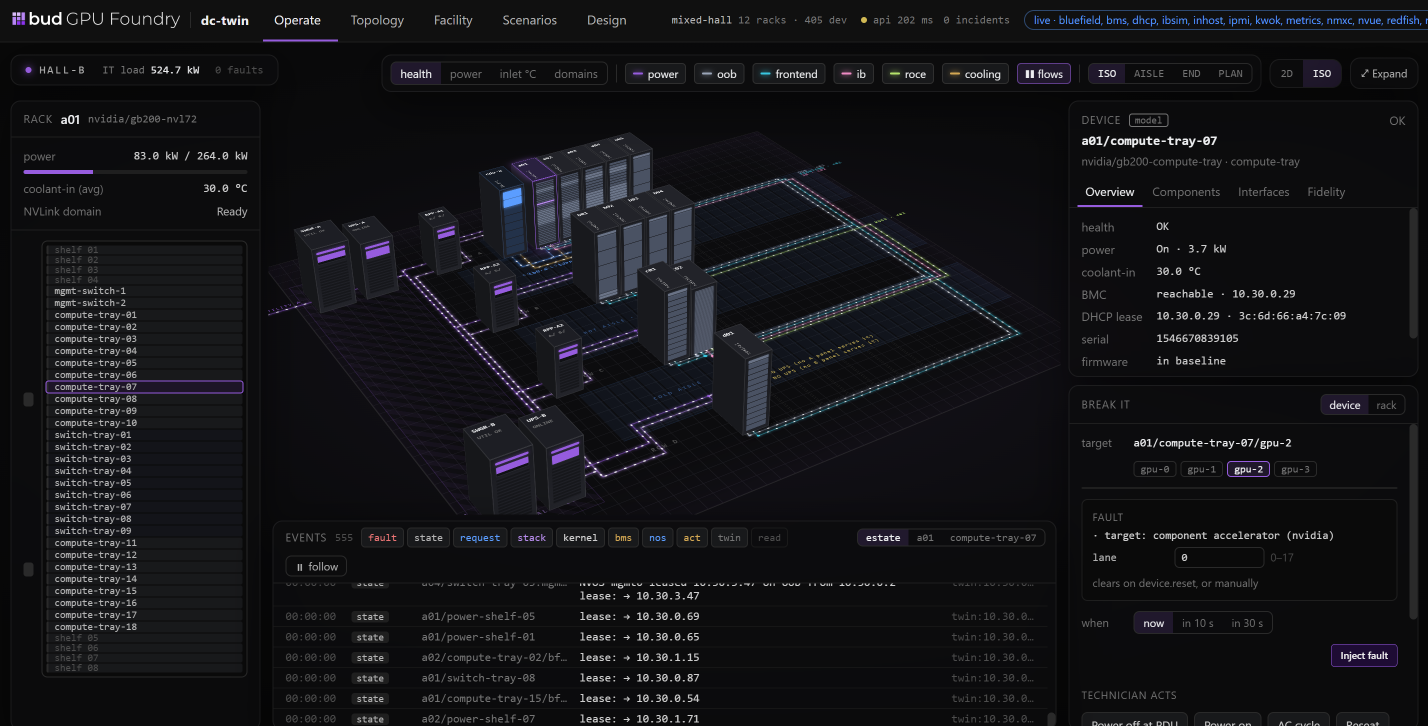
See the entire GPU hall at a glance, with different types of accelerators side by side, and go from the hall to a single server in a couple of clicks: its health, power, temperature and status in one place.

In a real data centre you would never break something to see what happens. In the twin you can. Fail a GPU, see what it affects, respond as a technician would and watch the system recover, so your team learns what an incident looks like without risking a live workload.

  • Hall to server in a couple of clicks
  • Fail a GPU on purpose
  • Rehearse the recovery
The Operate tab of DC Twin in Bud GPU Foundry: an isometric 3D view of a GPU hall with racks, power and cooling paths, a rack list on the left and a device panel with a fault-injection control on the right.
02 · Topology

Pull a cable and see what it takes down.

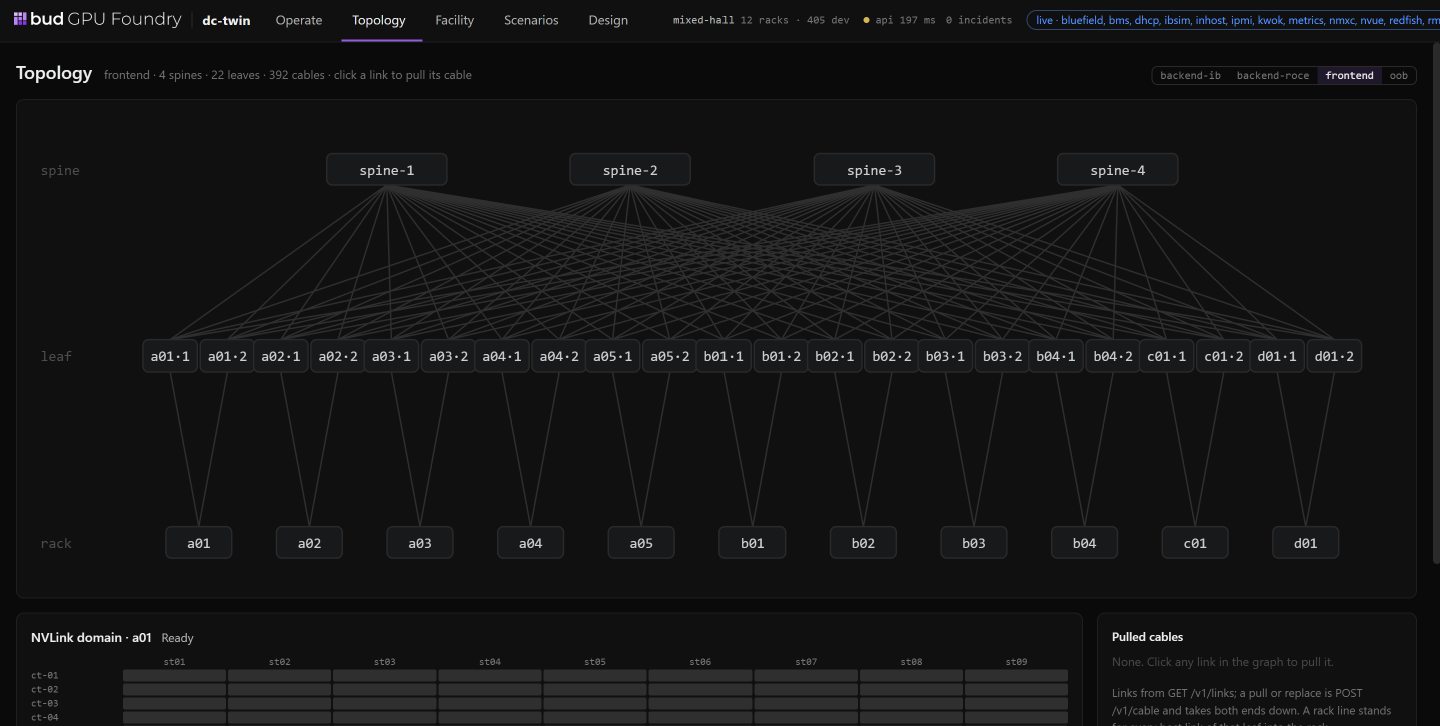
See how the whole network is connected, from the core switches down to every rack. Pull a cable and you see straight away which parts of the cluster are affected.

It is a simple way to find weak points in the design and check that your redundancy does what you expect.

  • Core switches to every rack
  • Pull a cable
  • Test your redundancy
The Topology tab of DC Twin: a spine and leaf graph with four spines, twenty-two leaves and one connection per rack, with fabric selectors for backend InfiniBand, backend RoCE, frontend and out-of-band.
03 · Facility

Plan for the power feed that fails.

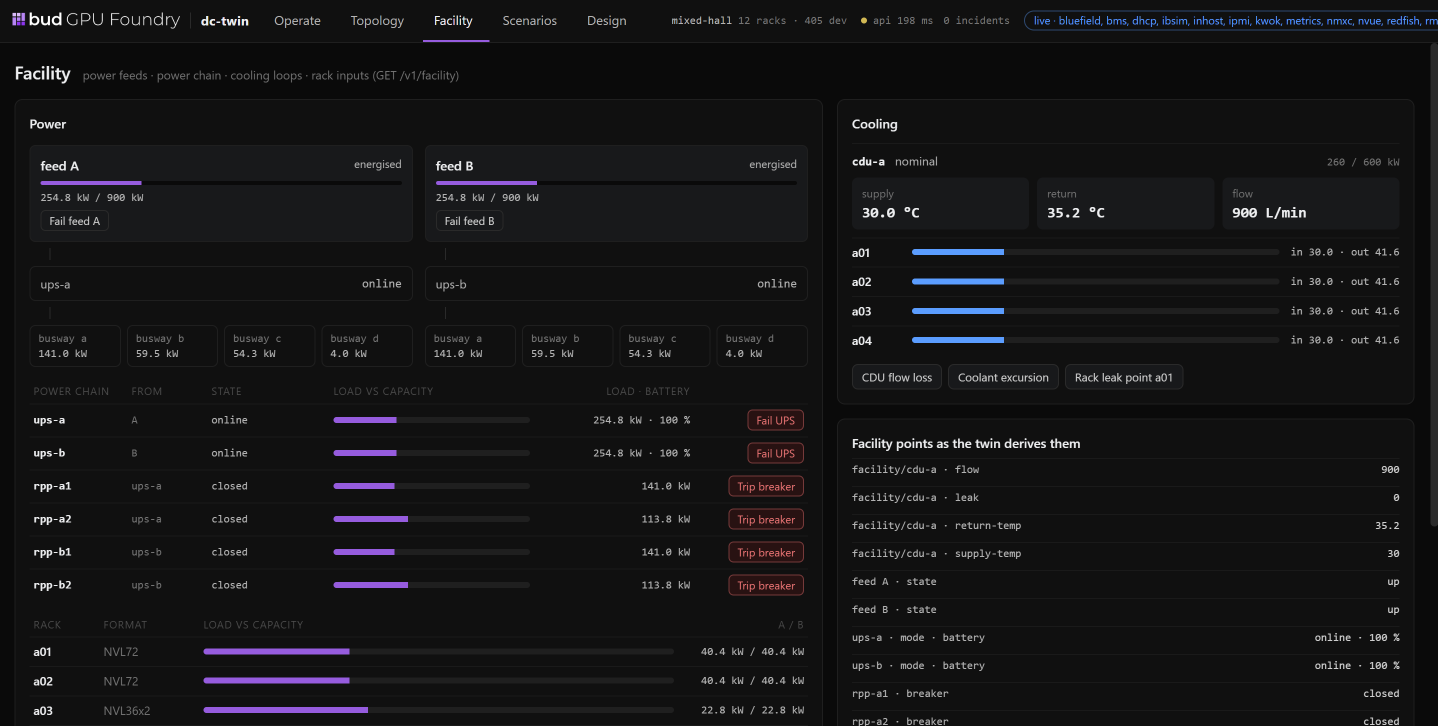
AI infrastructure is as much about power and cooling as compute. Modern GPU racks draw enormous amounts of energy, and many depend on liquid cooling. See how power flows from the utility feed to every rack and how cooling keeps up with the load.

Test what happens when a feed fails or a cooling loop loses pressure, so facility and IT teams plan for those moments together instead of discovering them during an outage.

  • Utility feed to every rack
  • Fail a power feed
  • Lose cooling pressure
The Facility tab of DC Twin: two power feeds, UPS units, busways and breakers on the left, and a coolant distribution unit with supply temperature, return temperature and flow on the right.
04 · Scenarios

Turn a failure drill into a repeatable test.

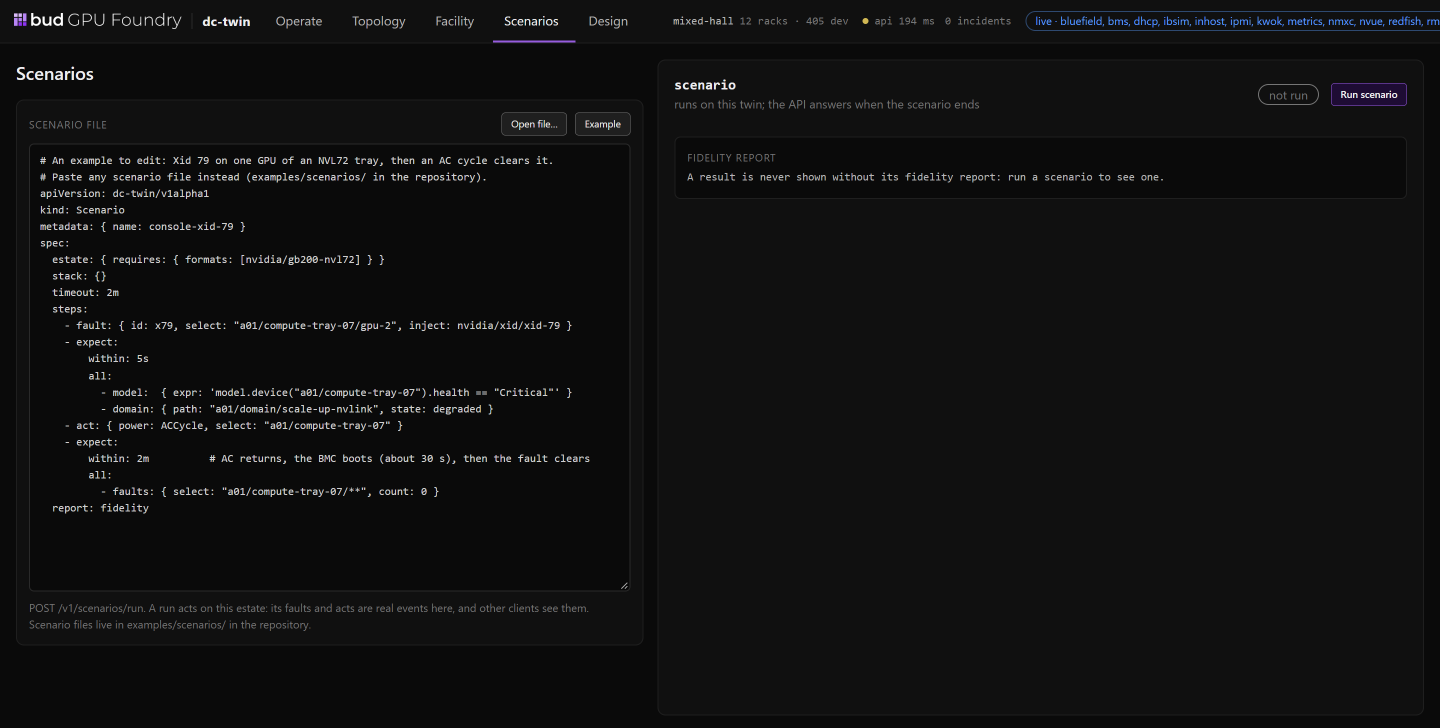
A scenario describes a failure and the recovery you expect. The twin runs it automatically and reports whether everything behaved as it should.

Instead of waiting for real hardware or a real incident, your team can test against the twin again and again, at any time.

  • Describe a failure
  • Set the expected recovery
  • Run it again and again
The Scenarios tab of DC Twin: a YAML scenario file on the left that injects an Xid 79 fault and then power-cycles a compute tray, and a fidelity report panel on the right.
05 · Design

Check the design before you buy the hardware.

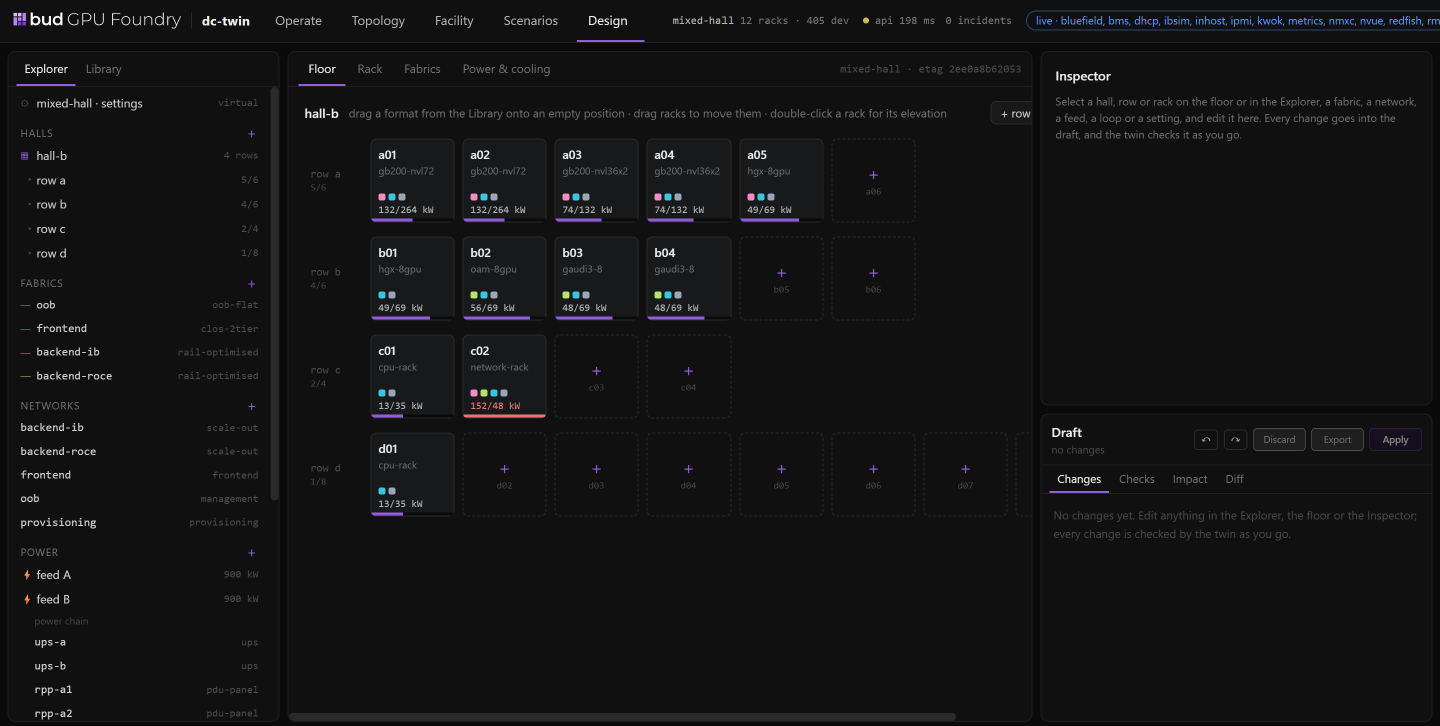
Still planning the facility? Lay out the hall, choose your hardware and add racks, and the twin checks the design as you go: whether you have the power, the cooling and the network capacity to support it.

For sovereign AI programmes, that means confident decisions before committing budget to equipment, and no costly changes once the hardware arrives.

  • Lay out the hall
  • Choose your hardware
  • Check power, cooling and network
The Design tab of DC Twin: a floor plan of hall B with rows of racks, empty positions to drag formats into, an explorer of fabrics, networks and power on the left, and a draft panel with checks and impact on the right.
Go deeper

Where DC Twin fits.

DC Twin is part of Bud GPU Foundry, the control plane that runs the accelerators you own as governed services.

Get started with Bud GPU Foundry

Rehearse your data centre before it goes live.

DC Twin is available now in Bud GPU Foundry. Tell us about the facility you are planning, and we will show you how the twin could work for it.

01 Lay out the hall and check power, cooling and network capacity.
02 Fail parts of it on purpose and rehearse the recovery.
03 Turn each drill into a scenario you can run again and again.